


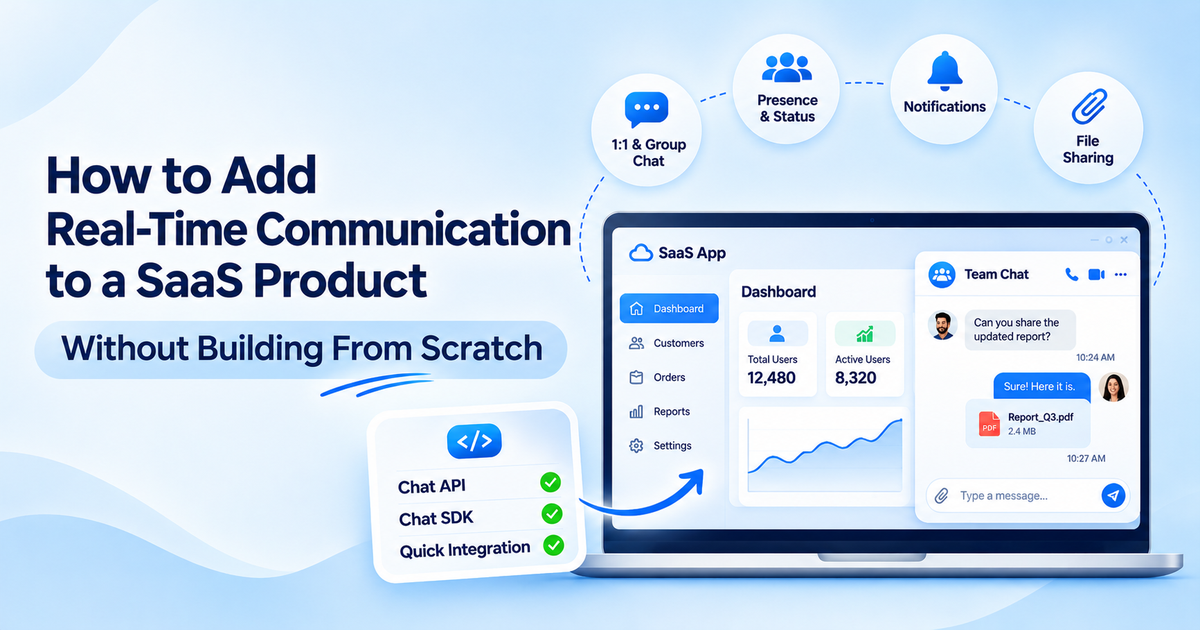
Your users want a chat feature within your product and you are hesitant because you think it will take another six months to build the feature. But that’s not the case anymore.
You don’t have to build a feature; you just need to add real-time communication for SaaS by plugging in a ready made chat API. This keeps your focus on your core product roadmap and speeds up your time to market. This strategy ensures your team saves precious development sprint cycles while delivering value.
Well, here’s how to figure out what exactly you need, what to check before choosing a real-time chat API and how to make it feel native.
What Real-Time Communication Does Your SaaS Product Need?
Analyse your use case and then decide the feature list based on it. Here are some common communication features that most teams need:
- 1:1 messaging: Most necessary for private conversations between two people. It is ideal for marketplaces, telehealth, or direct consulting. It provides more direct and secure user interaction.
- Group conversations: Necessary for team collaboration, project management and shared workspaces. It enables multiple people to be in the same context at the same time.
- Customer-user communication: Your support team communicates with your clients through this portal. It improves customer satisfaction and speeds up the resolution of queries.
- Presence: Shows who’s online, away or typing. Provides immediate visual signals for users to begin a conversation.
- Notifications: Pushes alerts that prompt users back to the app. It drives active daily user re-engagement.
But you may not need all of these features. You just need to split your needs into two: essentials and optional features. Essentials are features without which your users can’t complete a workflow. Optional features are those that add extra convenience but aren’t critical for initial launch for e.g; reactions or message search can wait for a later release. To avoid scope creep, you should first focus on MVP features.
What Makes Real-Time Communication Difficult to Build?
Maintaining a persistent connection, reconnection, notifications, presence and scaling make it difficult to build. Then there’s storage, as users want to be able to navigate back to past chats.
Here are the underlying backend demands that come with live messaging:
- Persistent connections: Keeping WebSockets or long polling connections open for thousands of concurrent devices at low latency.
- Message storage and history: Creating a database schema that enables extremely quick message retrieval and an infinitely scalable history.
- Status tracking: Managing typing indicators, read receipts and online status without overwhelming server bandwidth.
- Offline queueing: Making sure that messages that are sent to offline users are delivered reliably when they reconnect.
- Scalability under load: Handling connection surges, network changes, and quick data transfers without losing any packets when the load increases.
The true cost of building chat yourself isn’t the initial release. It’s the constant engineering overhead for keeping your servers alive, patching your sockets and scaling your hardware, as your app expands. This long-term burden takes focus off of key platform improvements.
How Can APIs and SDKs Add Communication Without Building It From Scratch?
You don’t need to create all that infrastructure; you can tap into a communication layer that already does that. That’s the concept behind communication APIs and SDKs. Your team can connect to the real-time messaging platform using code libraries.
- The Chat API takes care of the back-end routing, endpoint management and data storage.
- A Chat SDK (or messaging SDK) provides components for the front end, client-side logic, and ready-to-use UI hooks to surface directly into your app layout.
Using these tools lets your team keep complete control over:
- Product UI & brand styling
- User authentication and user mapping.
- Business logic, data rules, and business workflows.
For instance, platforms like MirrorFly provide you with a pre-built messaging API and SDK, which you can integrate into your apps and leave the real-time transport part to the platform, as you don’t need to create and maintain your own socket engines.
How Does a Communication Layer Fit Into an Existing SaaS Product?
You can integrate a communication layer without having to rewrite or change your app or your current database. The components interact in the following way:
- Frontend: Loads your SaaS interface, along with the in-app chat SDK components.
- Authentication: Your SaaS backend authenticates the user and creates a secure session token for the communication engine.
- Communication Infrastructure: Provides live message delivery, presence status and data storage as separate entities.
- Webhooks & Events: Webhooks notify your SaaS backend when events occur within the chat (such as a customer sending a high-priority ticket) and trigger business logic within your SaaS application.
This architecture lets you leverage external real time messaging infrastructure while retaining complete control over user data and business automation. It protects your core database while maintaining scalable event streaming across systems.
What Should You Check Before Choosing a Communication Platform?
To choose the right provider for saas messaging, assess the suitability of the platform with your tech stack and compliance requirements. Ask these core practical questions to assess:
|
Evaluation Area |
Key Questions to Ask |
|
SDK & Platform Support |
Does it support your stack (React, Vue, iOS, Android, Flutter)? |
|
Messaging Capabilities |
Does it include 1:1, group, file attachment and rich media out of the box? |
|
Auth & User Management |
Can it connect smoothly with your identity provider (JWT, OAuth)? |
|
Webhooks & Alerts |
Are there real-time webhooks to trigger backend events? |
|
Data & History |
What is the mechanism for saving, searching, and accessing chat logs? |
|
Security & Ownership |
Does data flow from end-to-end in an encrypted manner? Does this comply with HIPAA/GDPR? |
|
Deployment Options |
Is it SaaS only, or can it be hosted on your own cloud/on-premise? |
|
Scalability & Support |
Does the platform offer uptime SLAs, clear documentation, and dev support? |
When Does Using a Communication Platform Make More Sense Than Building It Yourself?
A dedicated SaaS messaging platform is a strategic option, not a compromise, for most of the software companies.
Using a platform makes sense when:
- Communication is a tool that helps you to work but is not your main business IP (e.g. chat within a CRM or project management software).
- It’s important to launch in days or weeks, not months.
- Engineering resources should be focused on the essential product features.
- Your business wants predictable operational costs instead of maintaining real-time server clusters long term.
- Production-level features such as encryption, push notifications, and file sharing are needed immediately.
It only makes sense to build in-house if it’s your primary product differentiator (such as building Discord or Zoom) or if your application demands the absolute most customized socket protocol changes that platforms don’t support. In almost all other use cases, it’s speed and reliability that win by buying pre-built layers.
How to Make Communication Feel Like Part of Your SaaS Product
A frequent error with chat is developing a third-party experience, like a plug-in. Make the context of your app feel seamless with the saas communication platform tools:
- Connect chats to product entities: Associate chats directly to a specific object in your SaaS (project board, support ticket, transaction, client file, etc.).
- Keep users in-app: Avoid directing users to email or external messaging apps. Keep conversation threads right where work gets done.
- Maintain consistent identity and permissions: Users’ roles and access will stay consistent between your app and the messaging layout, and access will be automatically granted.
If the message is similar in style to your existing workflow and visuals, the user will think of the message as a core feature of your platform, not an add-on. It establishes a seamless user experience that feels like a user experience that’s been built from scratch.
Conclusion
Adding real-time messaging to your product doesn’t mean becoming a messaging infrastructure company. Determine what features and capabilities are necessary for your communication and estimate the lifetime cost of this development; leverage APIs and SDKs to do the heavy lifting. While you’re searching for platforms, be sure to research them thoroughly before committing to them, then put your energy into making conversations feel like a natural part of your product.
Start small. Choose, for example, one workflow such as buyer-to-vendor messaging or a support chat, ship it and then test and grow from there. This iterative rollout gives your product immediate value without draining engineering resources.
