


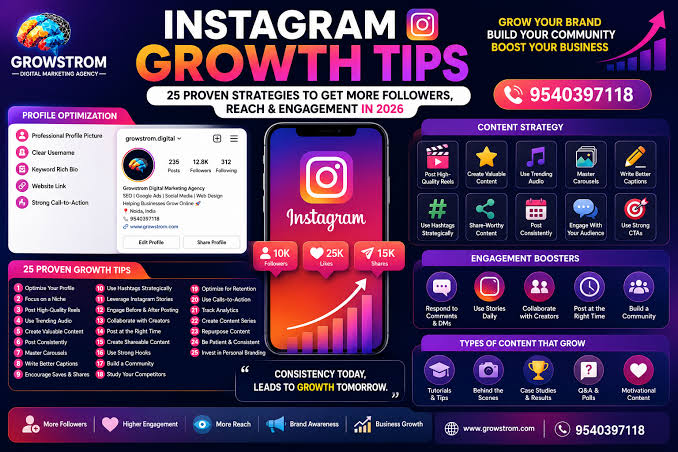
Ask ten creators how they grew on Instagram and you will hear ten different stories, but the tools and habits underneath those stories overlap more than you would expect. Most of them are not secret, and very few of them are expensive. What separates the accounts that grow from the ones that stall is usually consistency plus a handful of practical shortcuts that save time and remove guesswork.
This list collects the tools and tactics that keep showing up in 2026: native Instagram features that get overlooked, free utilities that speed up a workflow, and a couple of paid options that have a legitimate place when used with some restraint. Pick the three or four that fit your situation rather than trying to adopt all twelve at once.
1. Instagram Insights, checked on a schedule
The analytics built into a professional or creator account are more useful than most third-party dashboards, because they are the only source of data that is actually complete. The problem is that nobody checks them consistently. Set a fifteen-minute slot once a week, open the Insights tab, and look at three things: which posts reached the most non-followers, which ones earned the most saves and shares, and when your audience was most active.
Write those numbers down in a simple spreadsheet. After six weeks you will have a clear picture of what format and topic your audience responds to, which is worth more than any generic posting-time chart you find online.
2. Reels with a hook in the first second
Reels remain the format with the most reach for accounts that are still small, because the Reels tab serves content to people who do not follow you. The tactic that matters most is the opening frame. Creators who grow treat the first second as a headline: a bold on-screen text line, a surprising visual, or a question the viewer wants answered.
Keep the clip between seven and twenty seconds unless the content genuinely needs longer. Film vertically, use trending audio when it fits, and end with a reason to watch again or visit the profile. Reels that loop cleanly tend to rack up watch time, which is the signal Instagram pays attention to.
3. A caption template that invites a reply
Captions are where many accounts quietly leave engagement on the table. A simple structure works: one strong opening line that shows before the “more” cut-off, two or three sentences of context or a short story, and a closing question that is easy to answer. “Which one would you pick?” earns more comments than “Thoughts?”
Save a few of these templates in your notes app so you are not staring at a blank box at posting time. Rotate the closing questions so regulars do not feel like they are being prompted the same way every day.
4. A small hashtag library, not a copy-paste block
The days of thirty hashtags on every post are over. Instagram itself has suggested using three to five relevant tags, and the creators who still see results from hashtags use them as descriptive labels rather than reach hacks. Build a library of about twenty tags sorted by topic, then choose a handful per post that genuinely describe the content.
Check the hashtag pages occasionally. If the top posts on a tag look nothing like your content, that tag is not helping you.
5. A link-in-bio page you control
Whether you use a dedicated link-in-bio tool or a simple page on your own website, having one destination that lists your current offers, latest video, newsletter and shop makes the single bio link far more valuable. Update it whenever you launch something, and look at its click data monthly to see what people actually tap.
If you build it on your own site, you also keep that traffic data rather than handing it to a third party.
6. A starter boost with drip delivery for new or relaunched accounts
Social proof is a real factor in whether a visitor taps follow, and an account showing 40 followers and single-digit likes has a harder time converting profile visits than one that looks established. This is why some creators place a modest order with a service like FastSocial when they launch or relaunch: a small batch of followers or likes, delivered slowly over several days with the free drip option so the growth looks natural, with a 30-day refill if counts drop.
Be clear-eyed about what this does and does not do. Bought followers do not comment, save or share the way earned followers do, so keep any paid boost small, prefer drip delivery, keep publishing real content, and stay within Instagram’s rules. Think of it as a presentation touch-up for the profile page, not a growth strategy on its own.
7. A scheduling tool with a visual grid preview
Meta’s own Business Suite schedules posts and Reels for free, and several third-party planners add a drag-and-drop grid preview so you can see how the next nine posts will look together. The real value is not the automation but the planning habit it forces: batching content on one afternoon a week means you are never scrambling at 9 p.m. for something to post.
Scheduling also removes the temptation to post the moment you finish editing, which usually means posting at a random time rather than when your audience is online.
8. Carousels for saves and shares
Carousels are quietly one of the best-performing formats for accounts that teach or explain. They earn saves because people want to come back to them, and Instagram will show a carousel a second time to someone who scrolled past the first slide. Keep each slide to one idea, use large readable text, and put a summary or call to action on the final slide.
A free design tool with a carousel template is enough. The content matters far more than the polish.
9. Collaborative posts with accounts your size
The Collab feature lets two accounts publish the same post to both audiences, with engagement pooled. Creators use it to borrow each other’s reach without paying anything. The trick is picking partners whose audience would actually care about your content and who are roughly your size, so the exchange feels fair.
Start by genuinely engaging with their posts for a couple of weeks before pitching. A cold DM asking for a collab rarely works; a familiar name does.
10. Free utilities for downloading, fonts and usernames
A surprising amount of creator time goes into small tasks: saving a Reel to re-edit, picking a username that is not already taken, or styling a bio with a different font. FastSocial, alongside its paid services, publishes 17 free Instagram tools including a profile viewer, Reel, photo and story downloaders, and username and font generators, and there are other free utilities that do similar jobs. Bookmark whichever ones you use and stop searching for them each time.
Keep in mind that downloading someone else’s content is for reference or with their permission, not for reposting as your own.
11. Stories with interactive stickers every day
Stories do not grow your follower count directly, but they keep existing followers engaged, and accounts with engaged followers get more reach on feed posts and Reels. Polls, quizzes, question boxes and sliders take seconds to add and give you a steady stream of signals about what your audience wants next.
Use the question sticker to collect ideas for future posts. Half the content planning is done for you, and the people who answered are more likely to engage when the post appears.
12. A monthly review and a one-line plan
The last tool is a habit. At the end of each month, look back at the data from your weekly Insights check, your scheduling tool and your link-in-bio clicks. Write down one sentence: what worked, what did not, and the single change you will make next month. Creators who do this iterate quickly; everyone else repeats the same month over and over.
This is also the moment to decide whether any paid support is still needed. If your earned engagement has caught up, a service like FastSocial can simply stay bookmarked for the next launch.
Putting It Together
None of these tools replaces good content, but together they remove most of the friction that stops people from posting regularly. Start with Insights, a caption template and a weekly batching session. Add Reels and carousels once that routine holds. Use a modest paid boost only when a new account genuinely needs to look alive, and let the monthly review tell you what to try next.
