


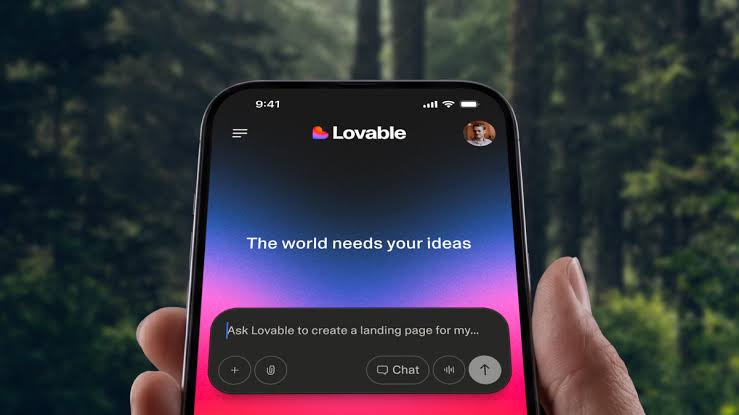
A phone app used to be a serious investment. You needed designers, developers, a project manager and a budget that made most small businesses think twice. Today, AI builders let almost anyone describe an idea in plain English and watch a working product take shape within hours. Lovable is one of the names people mention most often, and that is why so many searchers now ask how to turn its output into something real customers can install.
The excitement is justified, but it can also hide important details. Will the result run on both iPhone and Android? Who looks after security? How much work remains after the first prompt? What will it cost to keep the app running six months from now?
This buyer’s guide answers those questions without hype. You will see what these apps do well, where they need human help, how to compare building and buying, which design habits make an app feel lovable, and how to plan a calm, predictable launch. Each section ends with practical steps you can apply immediately.
If you are a founder, a marketer, a coach or a business owner with a good idea and limited time, this guide is written for you.
What an AI-Built Phone App Can and Cannot Do
Setting realistic expectations is the best money you will ever save. An AI builder is a powerful accelerator, not a magic wand.
Where AI building shines
Lovable turns written instructions into a working web application with screens, forms, user accounts and a connected database. Because the output is a responsive web app, it already adapts to small screens. You can change colors, rewrite text, add a page or adjust a workflow by simply asking. This makes it ideal for prototypes, member portals, booking tools, dashboards, community apps and internal business tools.
Speed also helps with learning. Instead of debating a feature in a meeting for a week, you can build it, show it to ten customers and see what they do. That feedback is worth more than any specification document.
Where you still need human help
A generated web app is not yet a store ready phone product. Someone has to package it for iPhone and Android, add device features such as notifications or the camera, test on real handsets and prepare store listings. Someone also has to review security rules, check that user data is protected and make sure the app behaves well when the connection drops.
There is also the matter of judgment. AI can produce ten layouts quickly, but it cannot tell you which one suits your customers. Product thinking, honest testing and good writing remain human strengths. The strongest projects combine fast generation with careful human review.
Who Benefits Most From a Lovable-Built App for Phones
AI generated apps are not right for every project, but they are a very good match for several types of buyer.
- First time founders who need a working product to show investors, partners or early customers without paying for a full engineering team.
- Service businesses such as gyms, salons, clinics and tutors that want bookings, reminders and client messaging in one branded place.
- Coaches and creators who want members to log in, access lessons, track progress and join a community from their phones.
- Operations teams that need an internal tool for inspections, inventory, field reports or approvals, where speed matters more than a public launch.
- Agencies and consultants who want to deliver client prototypes in days and keep clients engaged during discovery.
The approach is less suitable for products that depend on real time multiplayer gaming, advanced 3D graphics, heavy video editing or tightly regulated data such as detailed medical records. These projects need specialist engineering from the start, and an AI generated foundation may add more cleanup than it saves.
A simple test helps. If your app is mainly about showing information, collecting input, managing users and triggering actions, it is probably a good candidate. If it is mainly about extreme performance or deep hardware control, talk to a native developer first.
Choosing a Lovable Mobile App Path: Build, Buy or Blend
Once you know what you want, the next question is who does the work. There are three sensible paths, and each carries a different mix of cost, speed and risk.
Build it yourself
This path gives you maximum control and the lowest cash cost. You write the prompts, refine the screens and learn the tool as you go. It works best when you have time, enjoy experimenting and can tolerate a few rough edges. The main danger is underestimating the finishing work. Packaging for the stores, writing a privacy policy and fixing device specific bugs often take longer than the first prototype.
Buy a finished build from a provider
Here you hand the project to a studio or freelancer who delivers a store ready product. You pay more, but you save time and avoid learning curves. Look for clear milestones, written ownership terms and examples of live apps. Be cautious about any provider who cannot explain how they test, secure and update what they ship.
Blend the two
Many buyers find the middle route most comfortable. You shape the product, content and design through prompts, while an experienced developer handles packaging, device features, security review and store submission. You keep creative control and avoid the technical traps. Costs stay moderate because paid hours go only to the tasks that truly need expertise.
Whichever path you choose, agree on three things before starting: what the first release includes, who owns every account and file, and how updates will be handled after launch. Put these in writing, even if you are working with a friend.
Design Qualities That Make a Phone App Feel Lovable
People do not fall for features. They fall for how an app makes them feel in the first thirty seconds and the thirtieth day. Apple’s Human Interface Guidelines are a free, practical reference for these habits, and much of the advice applies on Android too.
Clarity beats cleverness
Every screen should answer three questions quickly: where am I, what can I do here, and what happens next. Use plain labels, generous spacing and one obvious main action per screen. If you need a paragraph to explain a button, the button needs redesigning.
Speed is a feeling
Users forgive missing features faster than slow screens. Keep first load light, show helpful loading states and respond to taps instantly, even if the work finishes in the background. Small touches such as smooth transitions and quick feedback signal quality.
Respect the thumb
Place key actions within easy reach, use large tap targets and keep navigation consistent. Most people use phones one handed, often while walking or multitasking.
Write like a human
Friendly, specific copy builds trust. Replace “Error 500” with “Something went wrong on our side. Your work is saved, so please try again.” Celebrate small wins, such as a completed profile or a first booking, with a short, warm message.
Ask for permissions at the right moment
Do not request notifications or location the moment the app opens. Wait until the user sees why it helps, then explain the benefit in one sentence.
Make it accessible
Support larger text, strong contrast and screen reader labels. Accessible apps are easier for everyone and reflect well with store reviewers.
When reviewing a prototype, hand it to someone who has never seen it and stay silent. Where they hesitate is where your design needs work.
iPhone and Android: What Changes for Your App
Because an AI generated app starts as a web product, you can aim at both platforms with one codebase. The stores still differ, and those differences affect your plan.
| Factor | iPhone (App Store) | Android (Google Play) |
| Developer account | Annual membership, listed at 99 US dollars | One time registration fee, listed at 25 US dollars |
| Device variety | Fewer models and screen sizes | Many makers, sizes and software versions |
| Testing effort | Moderate, focused on a smaller range | Higher, because of device diversity |
| Review style | Strict, with detailed human review | Mix of automated checks and review |
| Sign in rules | Sign in with Apple expected alongside other social logins | No equivalent requirement |
| Typical first choice | Premium or US focused audiences | Wide global reach and price sensitive markets |
Fees and policies change, so confirm the current details on each store’s official pages before you budget.
Which platform should come first?
Look at your audience rather than your own phone. If your customers are mostly in North America, Western Europe or Australia, or if they tend to pay for subscriptions, iPhone is often the smart first release. If you serve markets across Africa, South Asia or Latin America, Android may reach many more people. When in doubt, ask ten target customers what they carry.
Can one build serve both?
Often yes. Packaging the same web based product for both stores saves time and keeps features consistent. You will still need separate store listings, screenshots, privacy forms and test rounds. Budget for both even when the code is shared.
Security, Privacy and Data Basics Every Buyer Should Check
Speed is wonderful, but an app that leaks customer information can end a young business overnight. The good news is that most serious problems are preventable with a short review.
- Access rules. Make sure each user can see only their own data. A common mistake in quickly built apps is leaving database tables open so that anyone with a link can read them. Ask your builder to test this directly.
- Secrets and keys. Payment keys, email service keys and private tokens should never sit in code that runs on the user’s device. They belong on a secure server side function.
- Authentication. Use well established sign in methods, add password reset and consider email verification. Avoid building your own login logic.
- Payments. Use a trusted payment provider and follow each store’s rules for digital goods. Never store card numbers yourself.
- Privacy policy and disclosures. Both stores ask what data you collect and why. Answer honestly, and keep the policy in plain language.
- Account deletion. Give users a simple way to delete their account and data. It builds trust and meets store expectations.
- Backups and monitoring. Confirm that your data is backed up and that you will be alerted when something breaks.
If you handle sensitive information, such as health, finance or children’s data, speak to a qualified professional about the laws that apply in your region before launch. A short consultation costs far less than a compliance problem.
A good provider will volunteer this checklist. If they never mention security, ask why.
A Simple Launch Plan From Prototype to Store Listing
A calm launch is a planned launch. Follow these stages in order, and give each one a date.
- Clarify the goal. Write one sentence that describes who the app helps and what it helps them do. Keep it visible while you build.
- Prototype the core flow. Build only the screens needed for the main job. Skip nice to have extras for now.
- Test with five real people. Watch them use it. Note where they hesitate, then fix those spots before adding anything new.
- Harden the foundation. Review access rules, sign in, error handling and performance. This is the stage where expert review pays off.
- Package for the phone. Prepare the iPhone and Android builds, add the device features you need and test on real handsets, including an older one.
- Run a closed beta. Invite a small group through the stores’ testing programs. Collect bugs and feedback for at least a week or two.
- Prepare store assets. Write the description, choose keywords, create screenshots, finalize the icon and publish a support page and privacy policy.
- Submit and respond quickly. Provide a demo login and short review notes. If a reviewer asks a question, answer the same day.
- Launch softly. Release to a limited audience first, watch crash reports and reviews, then widen the rollout.
- Plan the first update. Decide what you will improve in the first thirty days based on real usage, not guesses.
One more tip: keep a short log of every account, password manager entry and decision. When a developer leaves or a plan renews, that log will save you hours of searching.
Green Flags and Red Flags When Comparing Providers
If you decide to hire help, the quality of the partner matters more than the quality of the tool. Use this side by side view when you read proposals and join calls.
| Topic | Green flag | Red flag |
| Portfolio | Shows live apps and explains what they learned | Shows only mockups or refuses to share examples |
| Ownership | Gives you the code, accounts and backend in writing | Publishes under their own account and keeps the keys |
| Pricing | Fixed phases with clear deliverables | One large payment upfront with a vague scope |
| Communication | Regular demos and honest updates about delays | Long silences and constant promises |
| Testing | Tests on real devices and shares a bug list | Says it works on their computer |
| Store knowledge | Explains review rules and has handled rejections | Promises guaranteed approval |
| Support | Offers a clear plan for fixes and updates | Disappears after delivery |
No provider is perfect, so look for patterns rather than single moments. A team that admits what it does not know is usually safer than one that claims to do everything. Ask for a short reference call with a past client if you can. Ten minutes of honest conversation often tells you more than a polished proposal.
Trust your instincts about communication, too. If the first week of conversations feels confusing or rushed, the project itself is unlikely to feel better. Choose someone who explains things clearly, respects your budget and treats your customers as real people rather than a line in a specification.
Making Your Decision With Confidence
After reading this far, you probably have a clearer sense of your route. Here is a quick way to turn that clarity into action.
Start with your audience and your main job to be done. Then list what you can handle yourself and what you would rather hand over. Add a realistic budget range, a target launch month and the single metric that would tell you the first release worked, such as weekly active users or completed bookings.
Next, speak to two or three providers and ask the questions from the previous section. Compare how they communicate, not just what they charge. If you want to see how a specialist team plans a lovable mobile app project from first idea to store submission, it can help to explore their approach and measure it against the checklists in this guide.
Finally, set a small first goal. A modest release that works well will teach you more than a huge launch that arrives late. Treat version one as the start of a conversation with your customers, and let their feedback shape version two.
The most successful owners are not the ones with the biggest budgets. They are the ones who stay curious, listen closely and keep improving week after week.
Frequently Asked Questions
Is there an official Lovable app I can install on my phone?
Lovable is a tool for creating apps, not a store product you download and use as is. You use it to build your own project, and you can then package that project for iPhone and Android or ask a developer to do it for you.
Can a Lovable project run on both iPhone and Android?
Yes, in most cases. The project starts as a responsive web app, so the same foundation can be packaged for both stores. You will still need separate store accounts, listings, screenshots and testing for each platform.
How much technical skill do I need?
You can create and refine the first version with no coding skills. Security checks, packaging, device features and store submission are easier with some technical support, so many owners bring in a developer for those steps.
How long does it take to publish a finished phone app?
A prototype can appear within days. A tested, reviewed and approved release usually takes several weeks, depending on your scope, how quickly you respond to feedback and whether the stores request changes.
What ongoing costs should I expect after launch?
Plan for the builder subscription, backend and hosting usage, store membership fees, notification or email services and time for updates and support. Costs usually start small and grow with your user base, so review them every quarter.
Final Thoughts
AI builders have opened the door to phone apps for people who never expected to own one. The winners will be the buyers who pair that speed with clear goals, careful security, thoughtful design and a patient launch plan. Use the comparison tables, checklists and questions in this guide to choose your path, protect your ownership and keep your customers at the center. Start small, learn quickly and improve steadily, and your app can become something people truly enjoy opening every day.
