


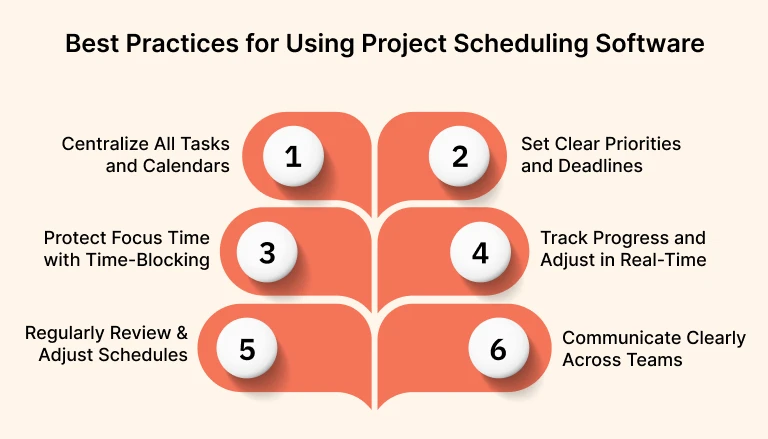
Time is one of the most limited resources in any business. Whether managing appointments, coordinating teams, or allocating resources, inefficient scheduling can lead to missed opportunities, wasted hours, and frustrated customers. This is why scheduling software has become a core tool across industries.
From small service providers to large enterprises, businesses are turning to digital scheduling solutions to improve organization, reduce manual work, and enhance productivity. Understanding how scheduling software works and how it delivers value can help organizations make smarter decisions when choosing a system.
What Is Scheduling Software?
Scheduling software is a digital tool designed to manage appointments, tasks, employee shifts, or resource allocation. It replaces manual processes such as spreadsheets, phone calls, or paper calendars with automated systems that track availability in real time.
At its core, scheduling software helps ensure that the right people, resources, and time slots are aligned efficiently. It provides a centralized platform where schedules can be created, updated, and shared instantly.
Why Scheduling Software Is Essential Today
The shift toward digital operations has increased the need for accurate and flexible scheduling. Customers expect fast booking options, while employees expect clear and accessible schedules.
According to data from Statista, businesses that adopt digital scheduling tools often see measurable improvements in productivity and customer satisfaction.
Scheduling software addresses common challenges such as:
- Double bookings and scheduling conflicts
- Time-consuming manual coordination
- Lack of visibility into availability
- Inefficient communication between teams
By automating these processes, businesses can operate more smoothly and respond to demand more effectively.
How Scheduling Software Works
Real-Time Availability Tracking
The software continuously updates availability based on bookings, employee shifts, or resource usage. This ensures that only valid time slots are displayed.
User Interface for Booking or Planning
Depending on the use case, customers or staff can interact with the system to book appointments, assign tasks, or manage schedules.
Automation and Notifications
Automated confirmations, reminders, and updates help keep everyone informed. This reduces the risk of missed appointments or miscommunication.
Integration with Other Systems
Many scheduling platforms integrate with calendars, payroll systems, customer management tools, and payment gateways.
Key Features of Modern Scheduling Software
Automated Scheduling
Automation reduces the need for manual input. The system can assign time slots, manage recurring appointments, and adjust schedules dynamically.
Calendar Synchronization
Integration with digital calendars ensures that schedules remain consistent across devices and platforms.
Mobile Accessibility
With mobile access, users can view and manage schedules from anywhere, improving flexibility and responsiveness.
Reporting and Analytics
Data insights help businesses understand trends, peak times, and resource utilization.
Customization Options
Different industries have unique needs. Scheduling software often allows customization of workflows, booking rules, and user permissions.
Benefits of Using Scheduling Software
Improved Efficiency
Automation reduces administrative workload and allows staff to focus on higher-value tasks.
Better Time Management
Clear and organized schedules help individuals and teams make better use of their time.
Enhanced Customer Experience
Customers benefit from faster booking processes, real-time availability, and timely reminders.
Reduced Errors
Digital systems minimize the risk of double bookings, missed appointments, and scheduling conflicts.
Applications Across Industries
Healthcare
Hospitals and clinics use scheduling software to manage patient appointments, staff shifts, and resource allocation.
Retail and Services
Salons, gyms, and repair services rely on scheduling tools to manage customer appointments and staff availability.
Corporate Environments
Businesses use scheduling software to coordinate meetings, manage projects, and allocate resources.
Education
Schools and training centers use scheduling systems to organize classes, instructors, and facilities.
Challenges and Considerations
Implementation Complexity
Setting up scheduling software may require time and technical expertise, especially for larger organizations.
Cost
Subscription fees or licensing costs can vary depending on features and scale.
User Adoption
Employees and customers may need time to adapt to a new system. Training and support are important for successful adoption.
Data Security
Handling sensitive information requires strong security measures to protect user data.
Expert Insight: Simplicity Drives Adoption
One of the most important factors in successful scheduling software implementation is simplicity. Even the most advanced system can fail if it is difficult to use.
Experts recommend focusing on user-friendly interfaces, clear workflows, and minimal steps in the booking process. When users can interact with the system بسهولة and without confusion, adoption rates improve significantly.
This highlights a key principle: the best scheduling software is not just powerful, but also intuitive.
Trends Shaping Scheduling Software
AI and Predictive Scheduling
Artificial intelligence is being used to predict demand, optimize schedules, and recommend time slots based on historical data.
Remote and Hybrid Work Support
As remote work becomes more common, scheduling tools are evolving to support distributed teams and flexible work arrangements.
Integration with Business Ecosystems
Scheduling software is increasingly connected with CRM systems, marketing platforms, and financial tools.
Self-Service Booking
Customers are increasingly choosing self-service options, reducing the need for direct interaction with staff.
Choosing the Right Scheduling Software
When selecting a solution, consider:
- Ease of use for both staff and customers
- Integration with existing tools
- Scalability as the business grows
- Pricing and total cost of ownership
- Customer support and reliability
Testing different platforms and gathering feedback from users can help ensure the best fit.
Practical Takeaways
For businesses looking to implement scheduling software:
- Start with clear goals and requirements
- Choose a system that matches your workflow
- Train staff and provide support during transition
- Monitor performance and adjust settings as needed
A thoughtful approach increases the likelihood of long-term success.
Conclusion
Scheduling software has become an essential tool for managing time, resources, and customer interactions. By automating processes and improving visibility, it helps businesses operate more efficiently and deliver better experiences.
As technology continues to evolve, scheduling software will play an even greater role in shaping how organizations manage their operations. For businesses aiming to stay competitive, adopting and optimizing these tools is a practical and forward-looking decision.
