


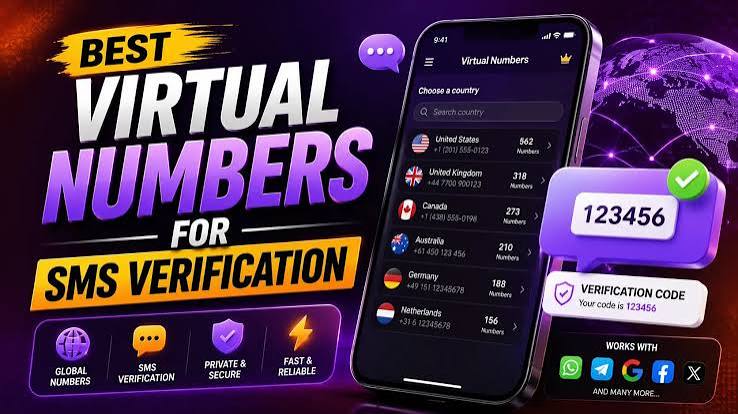
Everything you need to know about receiving OTP codes online without ever typing your real phone number into a sign-up form.
📱 In this guide
What virtual numbers are, how the SMS lands in seconds, who actually uses them, and how to get one for the first time.
If you’ve ever stared at a sign-up form that demands your real phone number just to unlock a free trial, a forum account, or a coupon code, you already understand the appeal of a virtual number for instant SMS verification. It’s a rented, cloud-based number that exists for exactly one job: catching the OTP code an app sends you, then getting out of the way. No SIM card, no long-term commitment, and — most importantly — no permanent link back to your actual identity.
This guide walks through the mechanics, the everyday use cases, and the practical steps of using one for the first time, so you can decide whether it belongs in your own sign-up routine.
What Exactly Is a Virtual Number?
A virtual number is a phone number that lives entirely in the cloud rather than on a physical SIM card. It has no billing address, no contract, and in most setups it can only receive incoming text messages — it can’t place calls or send texts of its own. That narrow purpose is by design: because the number only does one job, a provider can rent it out for a short session, route whatever text arrives straight to your private online dashboard, and then recycle it for the next person once your window closes.
Picture it less like a phone line and more like a disposable mailbox built specifically for one-time codes. You reserve it, wait a few seconds, copy the code that shows up, and move on. Nobody else sees the message, and once your session ends, the number goes back into a shared pool.
How the Code Actually Reaches You So Fast
Behind the scenes, providers maintain a large, constantly rotating pool of real, carrier-connected numbers spread across dozens (sometimes 100+) countries. When you request one, the system isn’t manufacturing a brand-new number from scratch — it’s reserving an already-live number exclusively for your session, usually for around 15–20 minutes.
1. Choose the platform and country — pick the app you’re verifying and which country the number should come from.
2. A live number gets reserved — the system pulls a matching number and opens a short private window.
3. Enter it like it’s your own — paste it into the sign-up field and request the code.
4. The SMS lands in your dashboard — usually within seconds, since the message never travels further than the receiving gateway.
5. No code, no charge — most services refund automatically if nothing arrives before the window closes.
Why Millions of People Reach for One
Ask a handful of regular users why they bother with a virtual number instead of just typing in their real one, and the answers cluster around a single idea: control over where personal information ends up.
Keeping a real number private
Once a phone number is handed over to a random sign-up form, there’s no telling how many databases it eventually lands in. A virtual number absorbs that exposure instead, so the number your family, bank, and close contacts already have stays exactly where it should.
Cutting down spam calls and texts
A surprisingly large share of unwanted marketing calls can be traced back to a single sign-up form somewhere. Using a disposable number for anything non-essential removes that entry point before it ever becomes a problem.
Managing several accounts at once
Marketers, resellers, and community managers often need more than one verified account on the same platform. Since most apps cap how many accounts a single number can verify, a fresh virtual number per account keeps things compliant without a drawer full of spare SIM cards.
Getting past region-locked sign-ups
Some platforms only accept numbers from specific countries or flag foreign numbers automatically. Renting a number from the right country solves this instantly — no local SIM, no trip to a carrier store.
Testing OTP flows as a developer
QA teams building anything that sends SMS codes need real, working numbers on demand rather than a handful of personal lines passed around the office. A developer API for requesting numbers and reading incoming SMS turns this into something that can be scripted and run automatically.
Where Virtual Numbers Get Used Most
The list of platforms people verify repeats across nearly every provider’s catalog: Telegram, WhatsApp, Google, Instagram, Tinder, TikTok, Discord, X (Twitter), LinkedIn, Reddit, and OpenAI’s ChatGPT all sit near the top. If an app isn’t listed by name, it’s usually still supported somewhere in the catalog — most providers let you search by platform instead of scrolling through categories.
- Online sellers running multiple storefronts or ad accounts, where each new listing needs its own verified line.
- Dating app users who’d rather not link a profile to the same number their workplace has on file.
- Travelers hitting region locks on apps that only accept a local number.
- Developers and QA teams testing SMS notification flows against real numbers.
- Everyday shoppers signing up for a one-time coupon site they’ll never open again.
Choosing the Right Country
Not every country performs equally well for every platform. Some services are more aggressive about flagging certain regions, so it generally helps to match the number’s country to where the account will actually be used. US and UK numbers tend to have the broadest acceptance across mainstream apps, while region-specific platforms often verify faster with a local number from that same country.
If a number gets rejected or the code never shows up, there’s little value in retrying the same option. Since unused requests are usually refunded automatically, switching to a different country costs nothing beyond the few seconds it takes to pick a new one from the catalog.
Virtual Number vs. Physical SIM vs. Temporary Email
| Method | Setup Time | Typical Cost | Privacy Level |
|---|---|---|---|
| Virtual number | Under a minute | From roughly $0.05 per SMS | Not tied to your identity |
| Physical SIM card | Hours to days, plus ID checks | Monthly plan or prepaid top-up | Registered in your name |
| Temporary email | Instant | From roughly $0.01 per inbox | Best for email-only checks |
Most people end up using a virtual number and a temporary email side by side — the number covers anything gated by SMS, and the temporary inbox handles sign-ups that only ask for an email address.
Getting Your First Virtual Number, Step by Step
- Create an account on the provider’s dashboard — this step usually doesn’t ask for a phone number at all.
- Add balance to your wallet, typically via crypto (Bitcoin, USDT, Ethereum) for instant confirmation.
- Choose the country and the exact service you’re verifying from the catalog.
- Enter the number on the target app and request your code.
- Read the code from your dashboard the moment it arrives and finish signing up.
The whole process, start to finish, usually takes a few minutes the first time and well under a minute on every visit after that.
Is It Safe and Legal?
Yes — receiving a verification code through a virtual number is legal in the overwhelming majority of countries. It’s simply a different category of phone line, not a loophole. What matters is intent: using one to protect your privacy is normal and widely accepted, while using one to spam, commit fraud, or dodge a platform ban isn’t, and no legitimate provider condones that.
On the safety side, a well-run service keeps each number private for the length of your session, so nobody else can see the message that lands in your inbox. Crypto payments add another layer of separation from your identity, and most purchases carry some form of replacement guarantee if something goes wrong.
One thing worth remembering: a virtual number is single-use by design, so it isn’t the right tool for an account you’ll want to recover later using SMS as a backup method. Pair the initial sign-up with two-factor authentication or a recovery email instead.
Frequently Asked Questions
What is a virtual number actually used for?
Mostly to receive a one-time SMS verification code when a website or app demands a phone number during sign-up, so a personal number never has to be shared.
How long does a virtual number stay active?
Most providers keep a number active for around 15–20 minutes. If no SMS arrives in that window, the charge is typically refunded automatically.
Can it be used for WhatsApp or Telegram?
Yes — both are among the most requested services across virtually every provider’s catalog, alongside Google, Instagram, Tinder, TikTok, and OpenAI accounts.
Does the provider itself require a real phone number to sign up?
No. Most virtual number platforms let you create an account without providing any personal phone number.
What happens if the SMS never arrives?
The amount paid for that number is usually credited back to your balance automatically, with no support ticket needed.
Can the same number be reused later?
No — each number is issued for a single short session and returned to the shared pool afterward. Anything requiring long-term access should be paired with two-factor authentication or a recovery email at sign-up time.
Final Thoughts
Phone verification isn’t going away — if anything, more platforms add it every year. What’s changed is that handing over a personal number is no longer the only way through that gate. A well-run virtual number service does the one job it needs to do — catch an incoming SMS and hand it over instantly — without dragging a real identity into the process. For anyone signing up on a platform they’ll only touch once, testing an OTP flow for work, or simply trying to keep their phone number off one more marketing list, it’s a small tool that solves a surprisingly common annoyance.
